Settings & Profile
Manage your profile, preferences, and account settings.
Profile Settings
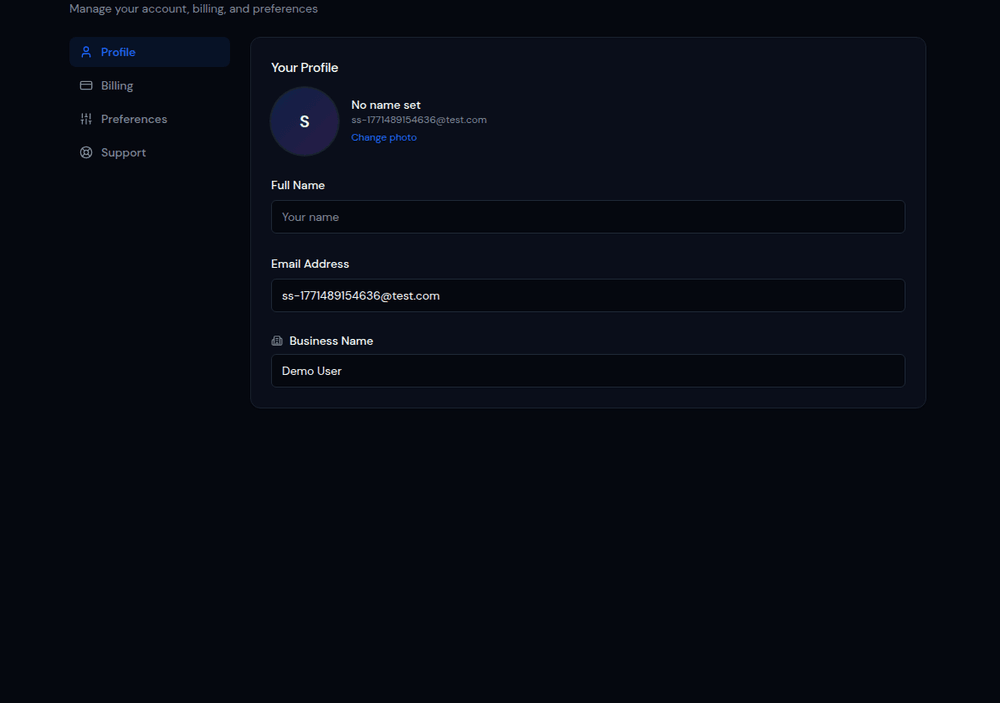
Update your personal information from Settings in the sidebar. You can change your name, email address, and profile picture. These details are visible to other team members in your business.
Password & Security
Change your password from the Settings page. We recommend using a strong, unique password and enabling two-factor authentication for extra security.
Theme Preferences
Switch between Light, Dark, and Psychedelic themes. The theme preference is saved per user and persists across sessions. Dark mode is the default.
- •Dark — Dark backgrounds with light text. Easy on the eyes. Default.
- •Light — White backgrounds with dark text. Classic look.
- •Psychedelic — Vibrant gradients and colorful accents. For the adventurous.
Notification Preferences
Configure which email notifications you want to receive: missed calls, voicemails, form submissions, billing alerts, and weekly summary reports.