How Call Tracking Works
Understand the fundamentals of call tracking and how CallScaler attributes calls to marketing sources.
The Basics
Call tracking works by assigning unique phone numbers to different marketing channels. Instead of putting your real business number on your Google Ads, website, and billboards, you use a different tracking number for each. When someone calls a tracking number, the call is instantly forwarded to your real business line, but CallScaler records which number they dialed, giving you attribution data.
How the Call Flows
Here's what happens when someone calls a tracking number:
- •Caller dials your tracking number
- •CallScaler receives the call and logs the caller's info (phone number, location, time)
- •Your Call Flow determines what happens next: forward to your business line, play a greeting, show an IVR menu, etc.
- •The call is forwarded to your destination number
- •If recording is enabled, the entire conversation is captured
- •After the call, AI transcription and summarization run automatically (if enabled)
- •The call appears in your Call Log with full details and source attribution
Static vs. Dynamic Tracking
CallScaler supports two types of call tracking.
Static tracking uses a dedicated number for each campaign. Put one number on your Google Ads and another on your Facebook Ads. Simple and effective.
Dynamic tracking (DNI, or Dynamic Number Insertion) automatically swaps the phone number on your website based on how the visitor arrived. A visitor from Google sees one number, a visitor from Facebook sees another, and a direct visitor sees a third. This gives you keyword-level and session-level attribution.
What Gets Tracked
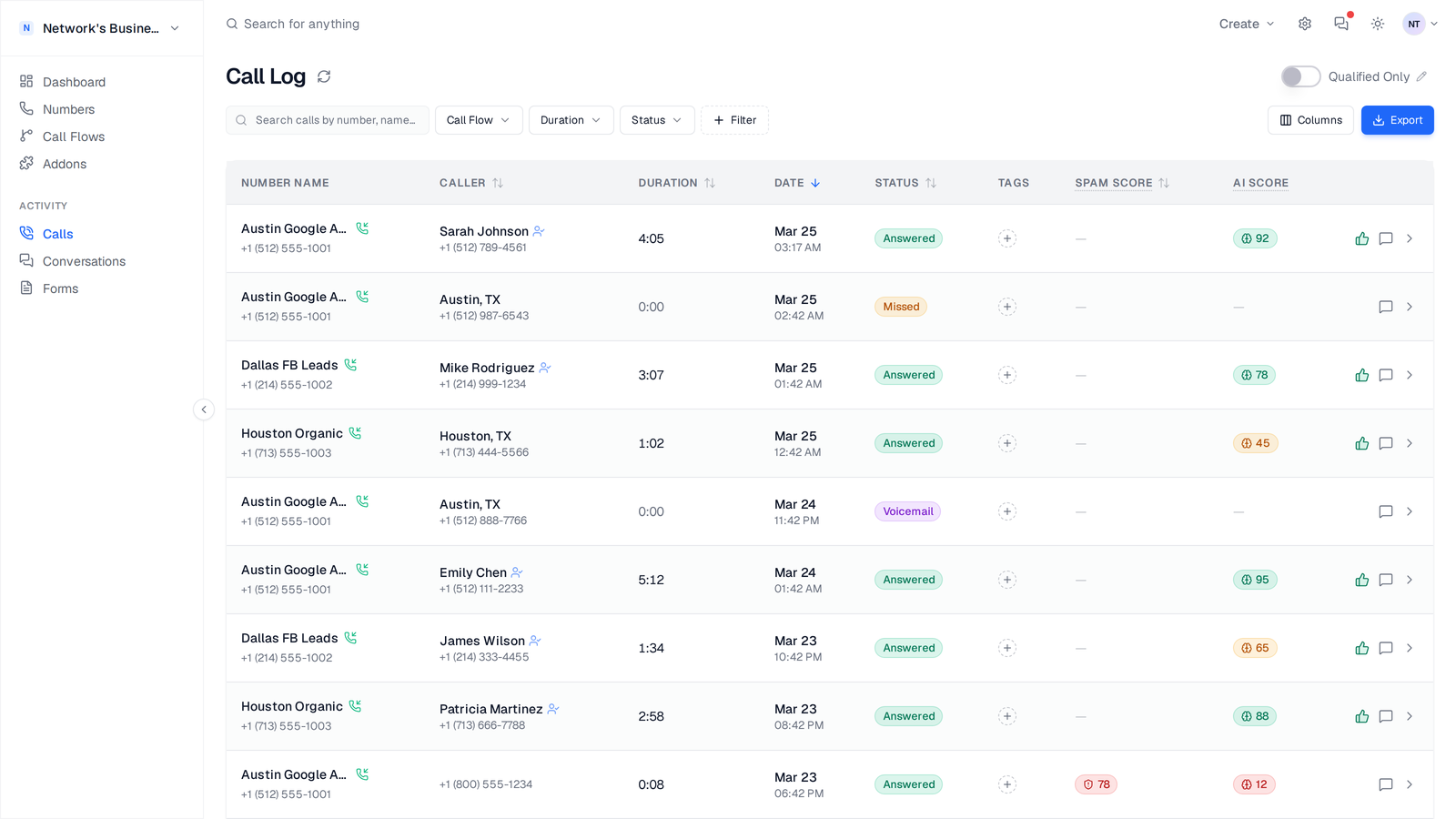
Every call captures a rich set of data points and lands in your Call Log with status, duration, caller details, and AI scoring side-by-side:
- •Caller phone number and name (CNAM lookup)
- •Call duration and timestamp
- •Which tracking number was called
- •Call recording (if enabled)
- •AI transcription and summary (if enabled)
- •Caller geographic location
- •UTM parameters (source, medium, campaign, term, content)
- •Landing page URL
- •Click IDs (gclid for Google, fbclid for Facebook, msclkid for Microsoft)
- •Robocall risk score (if Robocall Extinguisher is enabled)
- •Whether the call was answered, missed, or went to voicemail
On this page