SMS and Conversations
Send and receive SMS from tracking numbers, review media messages, and manage unified call plus text timelines.
Open Conversations
Go to Conversations to view all message threads for your business. Threads are grouped by contact number and sorted by latest activity.
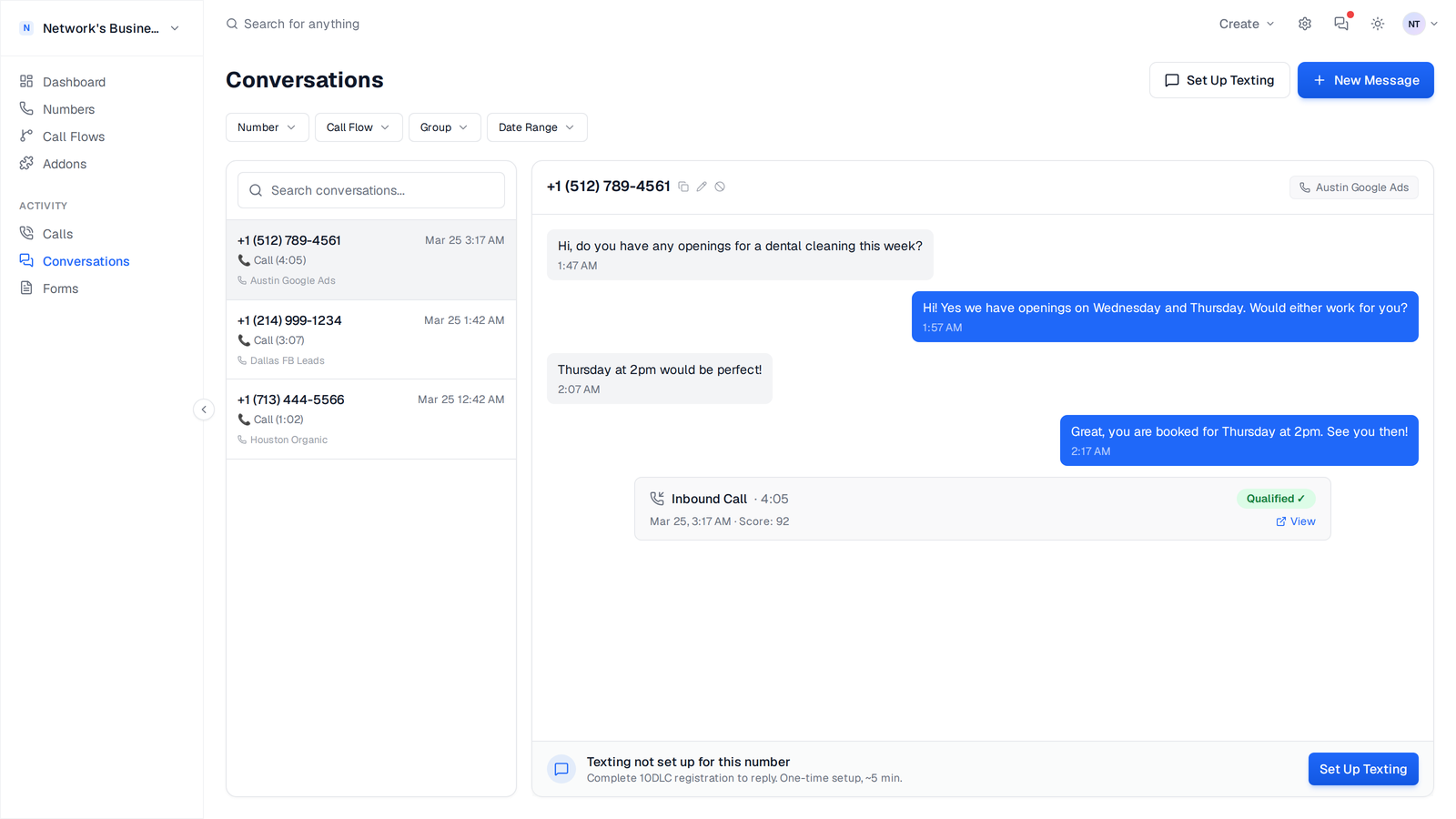
What appears in a thread
Each thread timeline merges call and text activity for the same contact number so your team can review context in one place.
- •Inbound and outbound SMS
- •Call events (for example answered, missed, voicemail, failed)
- •Call recording links when a recording exists
- •MMS attachments (image/audio/video/file) inline in the conversation
Send a new message
1. Open Conversations.
2. Click New Message.
3. Select a From tracking number from your account.
4. Enter the recipient number in E.164 format (for example +18135551234).
5. Type your message and click Send Message.
If your available balance is below the send cost, CallScaler blocks outbound sends. Add funds in Settings → Billing and retry.
Search and filter threads
Use the thread search and filters in Conversations to narrow the queue quickly:
Use clear number names (for example, "Tampa PPC" or "Main Intake") so filtered thread lists are easier to scan during busy hours.
- •Search by contact phone number or saved contact name
- •Filter by tracking number
- •Filter by call flow
- •Filter by date range
SMS-enabled number requirements
CallScaler only lets you send outbound SMS from numbers that belong to your business and are SMS-enabled. If a number is not ready, you will see setup guidance instead of a silent send failure.
10DLC setup for US local numbers
For US A2P messaging, complete registration in Text Messaging Setup:
1. Submit brand details.
2. Submit campaign details with realistic sample messages and opt-in flow.
3. Assign numbers to the approved campaign.
Only owner and admin roles can submit brand or campaign data and assign numbers. See Text Messaging Setup and 10DLC Registration for full instructions.
Canadian local numbers
Canadian local tracking numbers are SMS-enabled at purchase and do not require US-style 10DLC registration before use.
Toll-free numbers still follow toll-free messaging verification rules. If a toll-free number is pending, outbound messages may not deliver until approval completes.
Billing for messaging
SMS usage is charged per message segment based on your account's current rates. Check live rates in Settings → Billing.
Related
On this page