Tracking Numbers
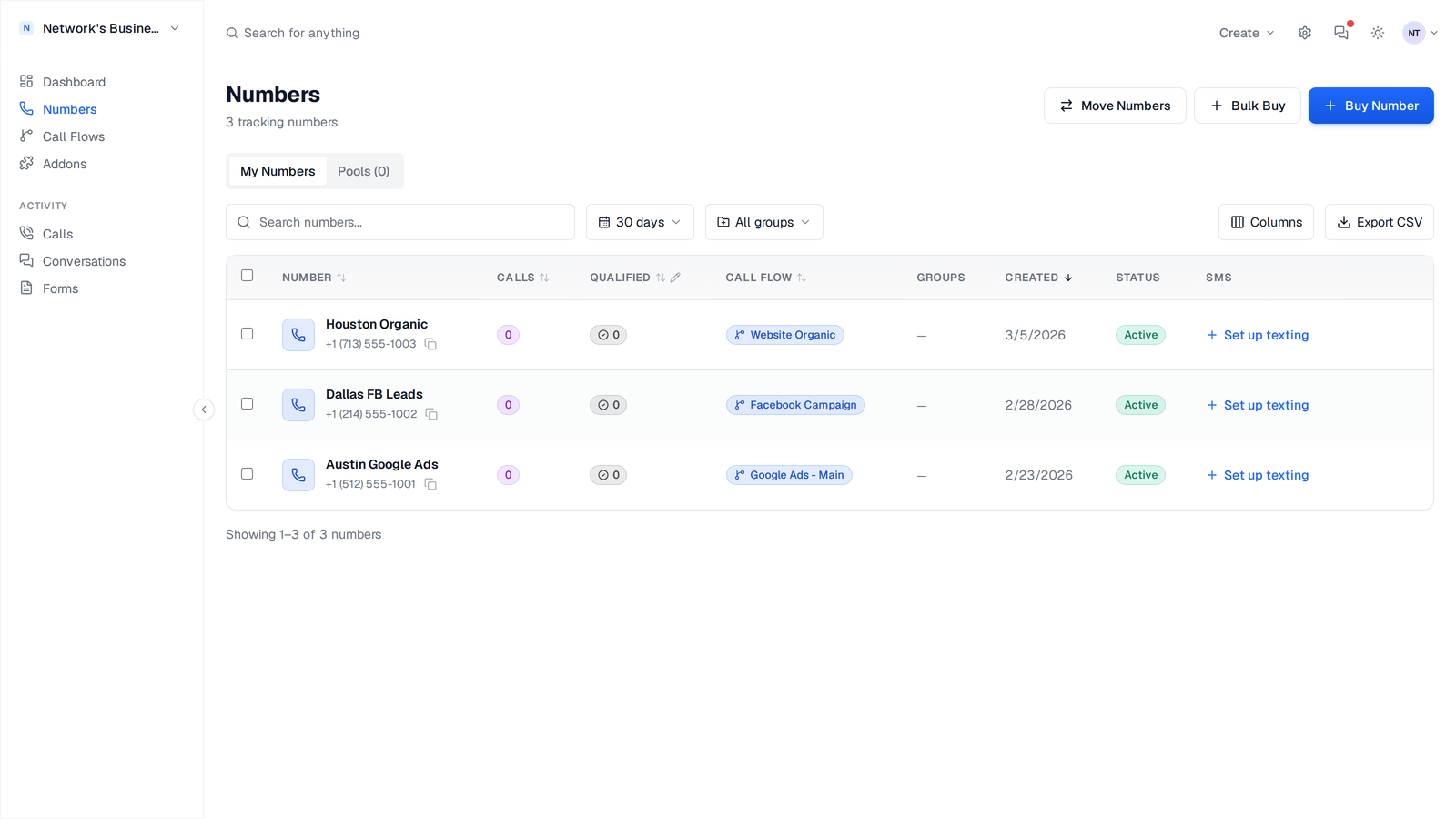
Buy, organize, and manage tracking numbers in CallScaler.
Buy a number
1. Open Numbers.
2. Click Buy Number.
3. Enter a 3-digit area code (for example, 813 for Tampa or 833 for toll-free).
4. Click Search and pick a number.
5. Enter a required Name (for example, "Tampa Google Ads").
6. Click Purchase.
The number is provisioned immediately and added to your Numbers table.
If you are a plumber in Tampa, start with area code 813 so callers see a familiar local number. For national campaigns, search toll-free prefixes (800, 888, 877, 866, 855, 844, 833).
Purchase requirements
Your available balance must cover the number charge at purchase time.
If you see "Insufficient balance", add funds from Settings → Billing first. Check your rates on your billing page.
Set up call routing after purchase
After you buy a number, CallScaler opens a setup wizard so you can route calls right away. Choose one path:
1. Create new call flow to build a fresh flow for this number.
2. Start from a clone to copy an existing flow, then edit the copy.
3. Attach to existing call flow to share one flow across multiple numbers.
You can also click Set up call flow later from the number row if you skip this step.
Bulk buy format
Use Bulk Buy when you need many numbers quickly. Enter one request per line using area code fallbacks plus a label.
Area codes are tried left to right. 813/727/656 means: try 813 first, then 727, then 656 if the previous codes have no availability.
813/727/656|Plumber Tampa - Google Ads
305/786|Miami Office
833/855|National Sales
Assign, change, or remove call flows
1. Open Numbers.
2. Click Edit on a number to change its name or call flow.
3. Choose a different flow, or set Call Flow to None to detach routing from that number.
4. Save changes.
For bulk updates, select multiple rows and use the bulk action bar to apply one flow to all selected numbers.
Use number groups
Groups help you organize numbers by channel, client, or location.
1. Open the Groups tab in Numbers.
2. Create groups such as "Google Ads", "SEO", or "Billboards".
3. Add numbers to each group.
You can then filter reporting and run group-level bulk actions faster.
Release numbers safely
1. Open Numbers.
2. Click Delete/Release on a single number, or select multiple rows and use bulk release.
3. Review the impact summary (including attached call flows).
4. Type RELEASE to confirm.
Released numbers stop billing and cannot be recovered.
Update all ads, website pages, and business listings before releasing a number.
Port and transfer
Use Move Numbers for:
- Porting numbers in from another provider
- Porting numbers out to another provider
- Transferring numbers between CallScaler businesses
See Number Porting for the full checklist and required documents.
Related
On this page