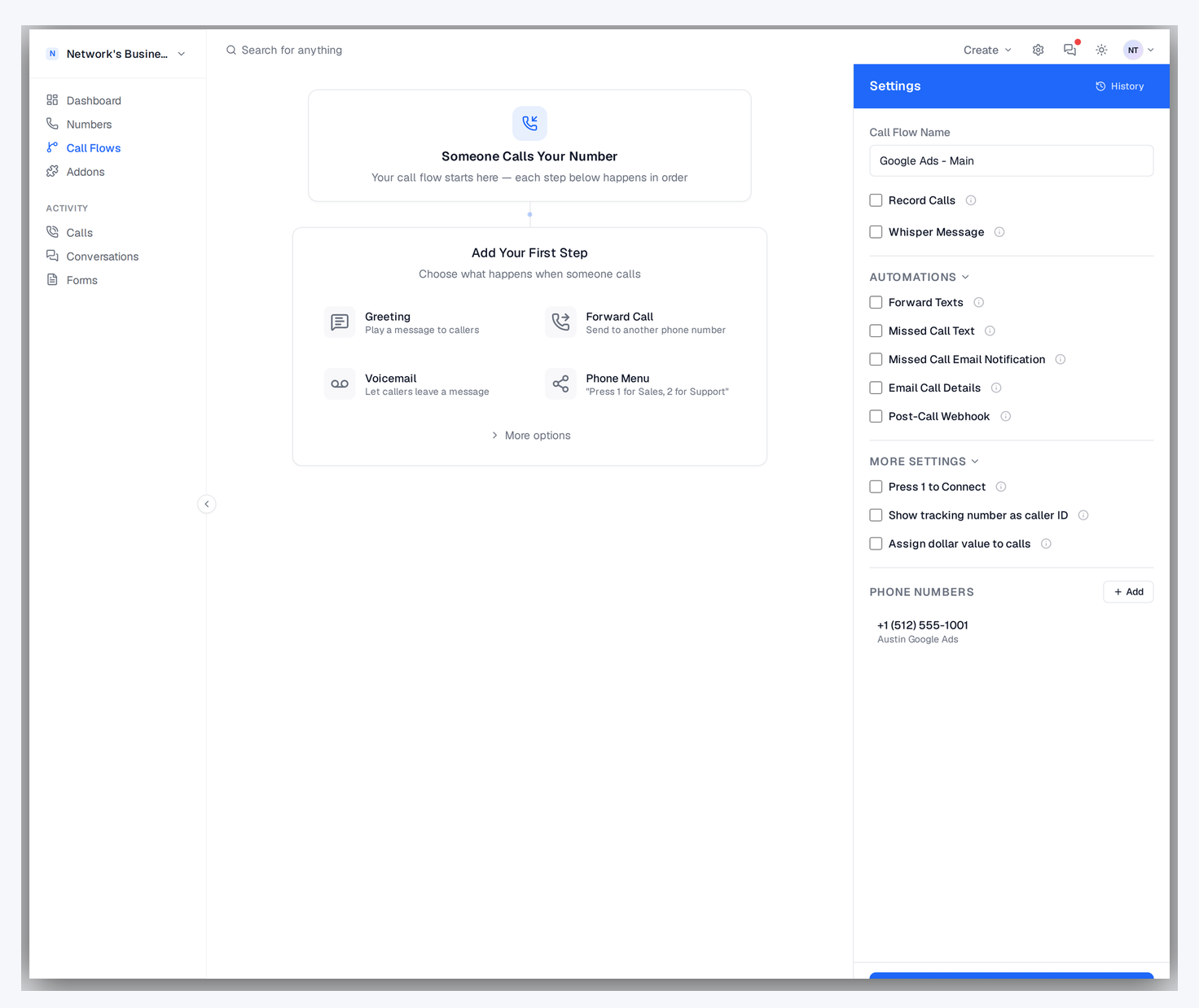
A short whisper message plays to the person answering the call — before the caller is connected. Know which campaign, source, or offer is calling so you can tailor your greeting and close more deals.
Call whisper plays a short audio message to the person answering the call before connecting the caller, telling them which campaign or source generated the call. CallScaler includes call whisper on all plans with text-to-speech or custom audio options. You can also enable press-to-accept, which requires agents to press a key before connecting, useful for filtering out voicemail pickups. CallRail and CallTrackingMetrics offer similar features but only on higher-tier plans.
Hear the lead source before you say hello.
Configure a whisper message on any tracking number or call flow. Use text-to-speech or upload custom audio.
A caller dials your tracking number. CallScaler routes the call to your destination as usual.
Before connecting, a brief message plays only to the person answering: 'Google Ads call for roof repair.'
Your team knows the source and intent before they say hello. Better first impressions, higher close rates.

Give your team instant context on every inbound call.
Set unique whisper messages per number, campaign, or call flow node.
Type your message and let TTS handle it, or upload a custom audio file.
Include the traffic source, campaign name, or keyword in the whisper dynamically.
Optionally require the agent to press a key to accept the call, filtering out voicemail pickups.
Whisper plays in under a second. Callers hear normal ringing — they never know.
Different whisper messages for different call flow branches. Sales hears one thing, support another.
No credit card required. Set up in under 60 seconds.
Sales teams and agencies that want context before every call.
Call whisper plays a brief audio message to the person answering a call before the caller is connected. The caller hears normal ringing and never knows. A typical whisper might say 'Google Ads call for roof repair' or 'Facebook lead, water damage restoration.' This gives your sales team instant context so they can tailor their greeting and pitch to the caller's intent. Teams that use whisper consistently report better first impressions and higher conversion rates because the rep is never caught off guard.

CallScaler supports multiple ways to configure whisper messages:
Press-to-accept is a whisper option that requires the answering agent to press a key (usually 1) before the caller is connected. If nobody presses the key, the call moves to the next destination in your call flow. This is critical for pay-per-call networks because it prevents calls from being answered by voicemail systems, which would count as a connected call without actually reaching a live person. It also ensures agents are ready and attentive before the caller comes on the line.
Agencies managing multiple clients on shared phone teams use whisper to identify which client the call is for. The rep hears 'Call for ABC Plumbing, Google Ads' and answers with 'Thank you for calling ABC Plumbing, how can I help you?' without any confusion. Pay-per-call networks use whisper to tell buyers which offer the call belongs to. Solo operators handling multiple business lines use it to switch context between different services. The pattern is always the same: give the answering party context before the conversation starts.
Make your whispers clear and useful with these guidelines:
Without call whisper, your team answers every call blind. They do not know if the caller found them on Google, Facebook, or a billboard. They do not know which service the caller is interested in. This leads to generic greetings and missed opportunities to personalize the conversation. Whisper gives your team the context they need to make a strong first impression on every call — automatically, with no effort from the caller.
Agencies managing calls for multiple clients use whisper to tell the answering team which client the call is for. A shared receptionist hears 'Call for ABC Plumbing from Google Ads' and answers accordingly. This eliminates mix-ups and lets you route calls from multiple clients through a single phone team while maintaining a professional, client-specific experience.

Whisper works seamlessly within CallScaler call flows:
Common questions about Call Whisper.
Works great with Call Whisper.
Build sophisticated call routing with zero code. Greetings, IVR menus, round-robin distribution, schedule-based routing, geo-routing, and webhooks — all in a visual editor that anyone can use.
Learn moreAutomatically record inbound and outbound calls. Play back recordings from the dashboard, download for compliance, and use AI to transcribe and summarize every conversation.
Learn moreAssign unique phone numbers to every marketing channel, campaign, and landing page. Attribute every inbound call to the source that generated it — with zero guesswork.
Learn moreSign up free and get started in under 60 seconds. No credit card required.