Call Flow Builder with IVR, Round Robin and Geo Routing
Build sophisticated call routing with zero code. Greetings, IVR menus, round-robin distribution, schedule-based routing, geo-routing, and TCPA/DNC caller screening, all in a visual editor that anyone can use.
CallScaler's call flow builder lets you create sophisticated call routing with a visual drag-and-drop editor. It supports IVR menus, round-robin distribution, geo-routing by zip code, schedule-based routing, real-time bidding, and TCPA/DNC caller screening. 10 step types in total. Unlike Invoca or Ringba where call flow setup requires support tickets or complex configuration, CallScaler's flows are built visually and go live instantly with no deploy step. Free on every plan.
Written by Curran Van Waarde, Founder, CallScaler
Quick facts about Call Flows
Price
Free on every plan
Step types
10 (Greeting, IVR, Forward, RTB, etc.)
Deploy time
Instant (no rebuild step)
Versioning
Yes (history + rollback)
Caller screening
TCPA/DNC checker step
Plans
Call Tracking, Pay Per Call
In-depth guide to Call Flows
What are call flows?
Call flows define the path a phone call takes from the moment it rings to the moment it connects (or does not). A simple call flow might forward directly to a sales rep. A complex one might play a greeting, offer an IVR menu, check the time of day, route by caller area code, try three agents in round-robin order, and fall back to voicemail if nobody answers. CallScaler lets you build all of this visually with a drag-and-drop editor.
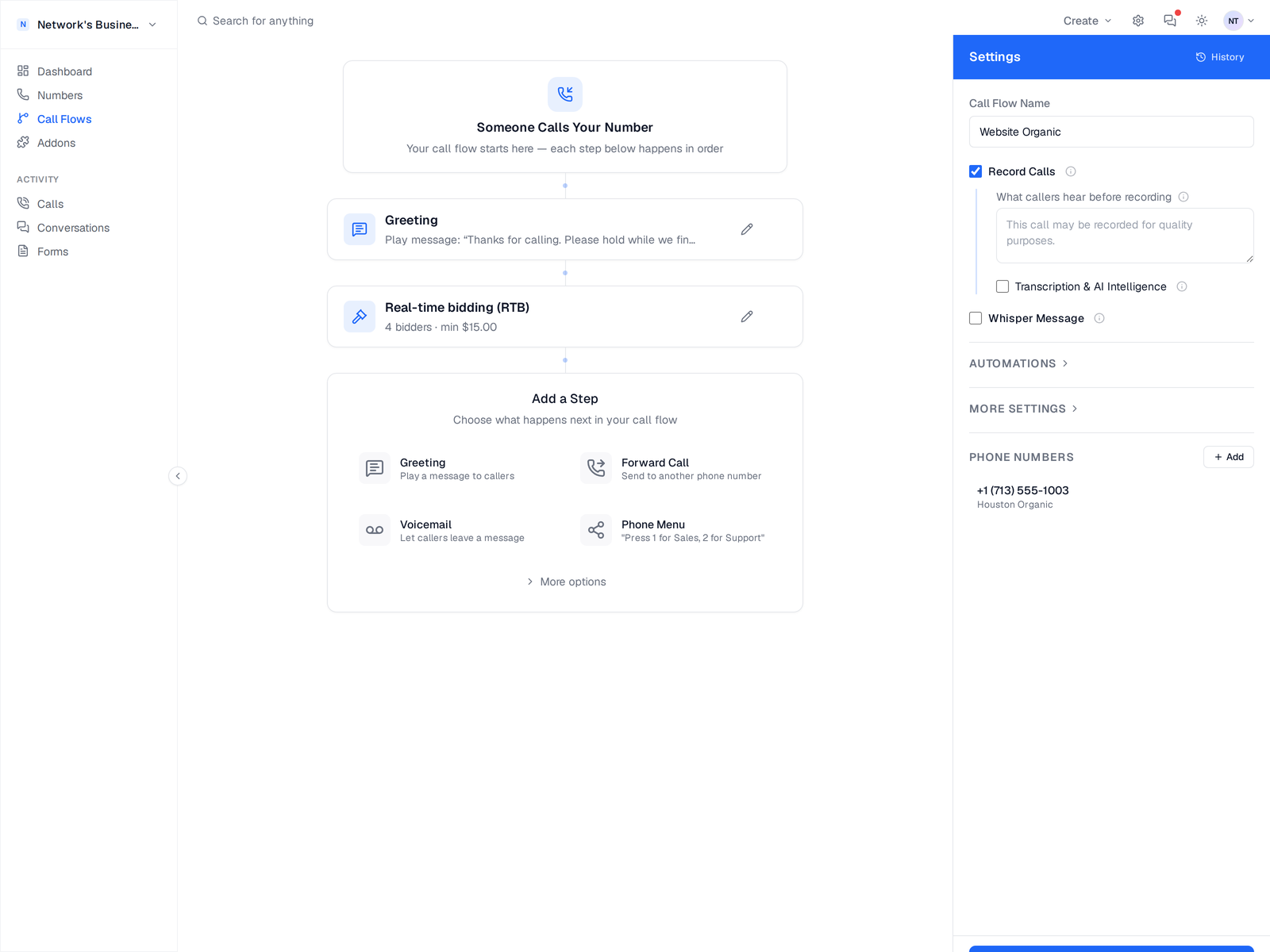
Visual call flow editor with the entry node, step list, and Add a Step picker
Common call flow patterns for lead gen
The most common pattern for lead generation businesses is: play a brief greeting, whisper the campaign source to the agent, then connect the call. For multi-location businesses, add geo-routing to send callers to the nearest office based on their area code or zip code. Agencies often use schedule-based routing to handle after-hours calls differently, forwarding to voicemail or a backup team. Pay-per-call networks typically use IVR menus for caller qualification followed by round-robin distribution to buyers.
IVR menus and caller self-service
Interactive Voice Response (IVR) menus let callers press keys to route themselves. Press 1 for sales, 2 for support, 3 for billing. This is useful when one tracking number handles multiple departments, or when you want to pre-qualify callers before connecting them to an agent. CallScaler supports multi-level IVR menus, custom audio prompts (text-to-speech or upload your own), and timeout handling for callers who do not press anything.
Geo-routing by area code and zip code
Geo-routing sends callers to different destinations based on where they are calling from. You can route by area code, zip code, or state. A national roofing company might route callers to the closest franchise location. A pay-per-call network might route to the highest-bidding buyer in the caller's region. CallScaler checks the caller's number against your geo rules and routes accordingly, all within the visual call flow builder.
How call flows connect to tracking numbers
You build a call flow once, then assign it to one or many tracking numbers. When any of those numbers receive a call, the flow executes. You can change the flow at any time and the changes apply instantly to all assigned numbers. This makes it easy to update routing logic across hundreds of numbers without touching each one individually.
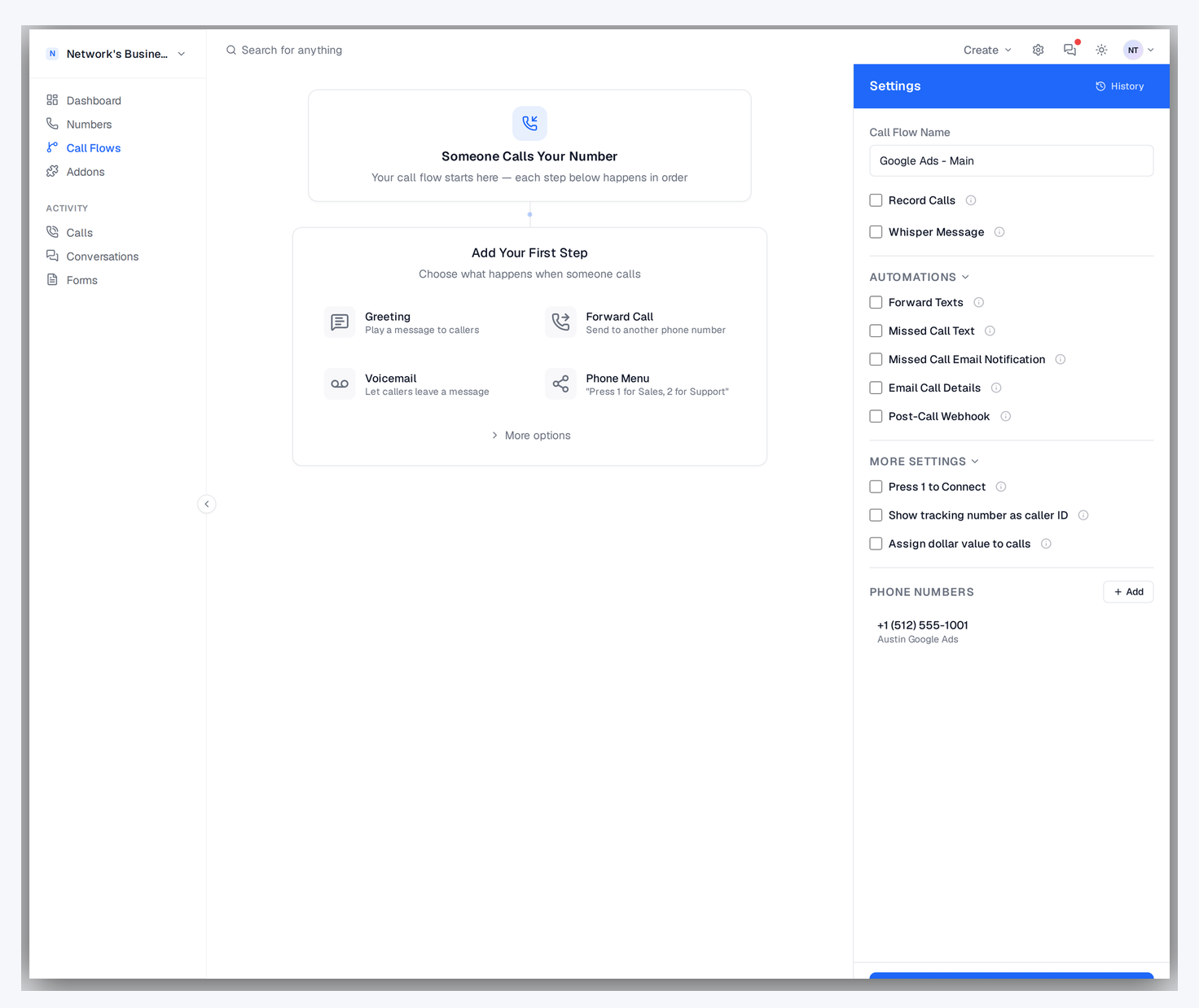
Call flow settings panel with Record Calls, Whisper Message, Automations, and assigned tracking number
Round-robin distribution for sales teams
Distribute calls fairly across your team with round-robin:
Even distribution ensures no single rep gets overloaded while others sit idle
Weighted round-robin lets you send more calls to top performers or senior reps
Skip agents who are already on a call or have exceeded their daily cap
Track per-agent answer rates and conversion rates to optimize your distribution
Schedule-based routing for business hours
Route calls differently based on time of day, day of week, or holidays. During business hours, calls go to your sales team with round-robin. After hours, calls route to voicemail or a backup answering service. On holidays, play a custom greeting and take messages. Schedule routing is configured in the visual builder with drag-and-drop time blocks. No code or complex configuration needed.
Versioning and rollback
Every save creates a new version. The History panel lets you:
Preview any prior version of a call flow before restoring
Restore an earlier version in one click if a routing change breaks something
See who saved which version and when (audit trail)
Compare two versions side-by-side to spot exactly what changed

Call flow History panel listing prior versions with restore controls
Screening callers before they connect
The Caller Check step runs a TCPA litigator or DNC lookup on the caller while the flow keeps moving:
Blacklist Alliance ships as a one-click preset, and any other provider that returns JSON works too
Your API key is saved once per business, encrypted at rest, and reusable on every flow
You choose which response value means blocked, for example message equals Blacklisted
Flagged callers are hung up before they reach an agent or a buyer, and the call log labels them Blocked
If the provider is slow or unreachable the call continues normally, so screening can never cost you a good lead
Pro tips for complex call flows
Keep call flows as simple as possible while meeting your routing needs. Every extra step adds a chance for the caller to hang up. If you use IVR menus, limit options to three or four choices. Always include a fallback path for callers who do not press any key. Test your call flow by calling your own tracking number and walking through every branch. Review call flow analytics monthly to spot bottlenecks or underperforming paths.
How it works
Build your call routing visually. No code needed.
01
Open the Visual Builder
Drag and drop nodes onto the canvas: greetings, menus, routes, voicemail, caller screening, and more.
02
Connect the Flow
Draw connections between nodes to define the call path. Add conditions for time-of-day, caller location, or keypress.
03
Assign to Numbers
Attach your call flow to one or many tracking numbers. Changes go live instantly — no deploy needed.
04
Monitor & Optimize
See real-time call flow analytics. Identify drop-off points and optimize routing for better answer rates.

Call flow editor with Greeting, Forward, and Voicemail steps wired to a tracking number
Key capabilities
Route calls anywhere with intelligent automation.
Visual Drag-and-Drop
Build complex routing logic visually. No code, no support tickets, no waiting.
IVR Menus
Multi-level press-1-for-sales menus. Custom audio or text-to-speech greetings.
Round Robin
Distribute calls evenly across your team. Weighted distribution and priority routing available.
Schedule Routing
Route differently based on business hours, days of week, and holidays.
Geo Routing
Route callers based on their area code, state, or zip code to the nearest location.
TCPA & DNC Screening
Screen callers against Blacklist Alliance or any other litigator and DNC API, then hang up on flagged callers before they connect.
Call flow builders compared
Provider
Visual builder
Step types
Instant deploy
Versioning + rollback
CallScaler (every plan)
Yes
10
Yes
Yes
CallRail (Marketing)
Yes
~6
Yes
No
WhatConverts (Pro)
Limited (routing rules)
5
Yes
No
Invoca (enterprise)
Yes
Many (custom)
Support ticket
Yes
Pricing and feature data as of May 2026. CallScaler ships the full 10-step builder on every plan; Invoca's comparable depth requires enterprise contract.
Who uses call flows?
Anyone who routes inbound calls to teams, locations, or partners.
Multi-location businesses routing calls to the nearest office
Sales teams distributing leads evenly with round-robin
Pay-per-call networks routing calls to buyers based on geo and capacity
Support teams with IVR menus for department routing